
Book Appointment Now

GC INDUS / MANUFACTURING KNOWLEDGE
CNC Machining Explained in Plain English for Buyers

Understanding cnc machining explained is essential. CNC machining is a subtractive manufacturing process where computer-controlled cutting tools remove material from a solid block (called a blank or workpiece) to produce a precise part. A programmer converts a CAD design into G-code instructions, which drive the machine’s motors to move the cutting tool along exact paths across multiple axes. Buyers choose it because it delivers tight tolerances, repeatable accuracy, and compatibility with metals and plastics alike, without the tooling investment that injection molding requires. It suits prototypes and production runs from a single piece up to thousands.

CNC Machining Explained: What It Is and How It Works
A solid block of metal or plastic goes in; a cutting tool removes material in controlled passes until only the finished geometry remains. That’s the entire premise behind subtractive manufacturing, and it’s the starting point for any cnc machining explained from the ground up.
Unlike injection molding or 3D printing, which build parts by adding or injecting material into a shape, CNC machining starts with excess stock, a bar, plate, or billet, and cuts away everything that isn’t part of the final design. This matters for buyers because it changes the cost structure: no mold tooling, no up-front tooling investment, and the ability to run one prototype or ten thousand units from the same program. This is particularly relevant for cnc machining explained.
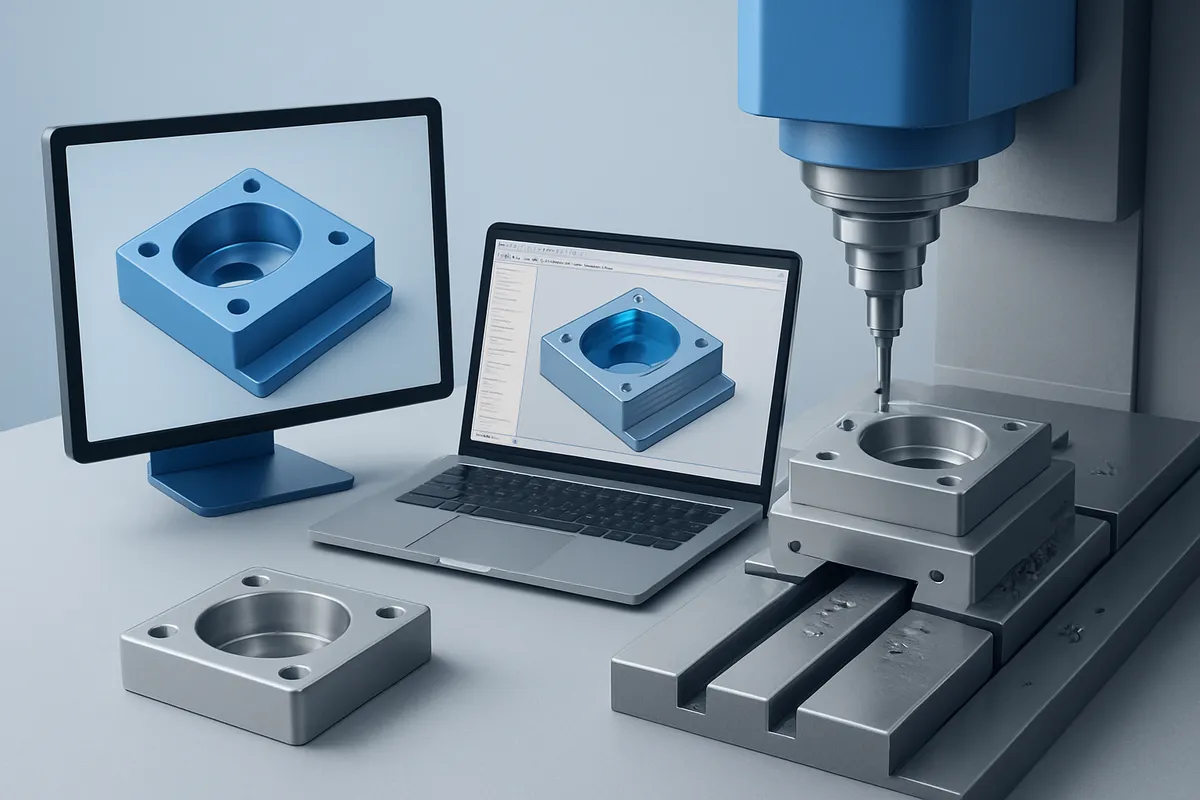
The path from idea to finished part follows a fixed sequence. An engineer designs the part in CAD software, defining every dimension and tolerance. That file moves into CAM software, where a programmer selects tool paths, cutting strategies, and operation order. The CAM system then outputs G-code, the instruction set the machine controller actually reads. The machine executes those instructions, cutting the blank down to the finished part, which then goes through deburring, inspection, and any finishing steps the spec calls for.
What Is G-code and How Does It Control the Machine?
G-code is a line-by-line list of coordinates and motion commands that tells the machine exactly where to move, how fast, and what to do when it gets there.
Each line specifies an axis position, a feed rate, or a function like turning on coolant or changing tools. The machine’s controller reads these lines sequentially and drives the motors accordingly, which is why repeatability is a defining strength of the process, the same program produces the same part, whether it’s the first unit or the ten-thousandth. Buyers don’t need to read G-code themselves, but understanding that it exists as the literal translation of a CAD drawing explains why design changes require reprogramming, not just a quick machine adjustment.
What Are the Main Types of CNC Machines and What Does Each One Do?
Different machine types suit different part geometries, and matching the right machine to the job affects both cost and achievable tolerance.
- 3-axis mills move a tool along X, Y, and Z, suited to flat and stepped geometries like brackets and plates.
- 5-axis mills add two rotational axes, letting the tool approach complex, curved, or undercut surfaces common in aerospace and medical housings in a single setup.
- CNC lathes rotate the workpiece against a stationary cutting tool, ideal for round, symmetrical parts like shafts and bushings.
- Swiss-type lathes guide the stock through a sliding headstock, holding tight concentricity on long, slender, small-diameter parts common in medical devices and connectors.
GC INDUS runs milling, turning, 5-axis, Swiss lathe, wire cutting, EDM, and grinding processes in-house, which lets a single order move between machine types without changing vendors. When considering cnc machining explained, this point stands out.
Spindle speed and feed rate, how fast the tool spins and how quickly it advances through material, set both surface finish and cycle time. Faster feeds cut cycle time but can leave rougher finishes or accelerate tool wear, so programmers balance the two against the tolerance and finish a part actually requires.
What Materials Can CNC Machines Cut, and What Are the Limits?
CNC machines cut most metals and engineering plastics, but each material behaves differently under the cutting tool, and that behavior drives cost, speed, and achievable tolerance.
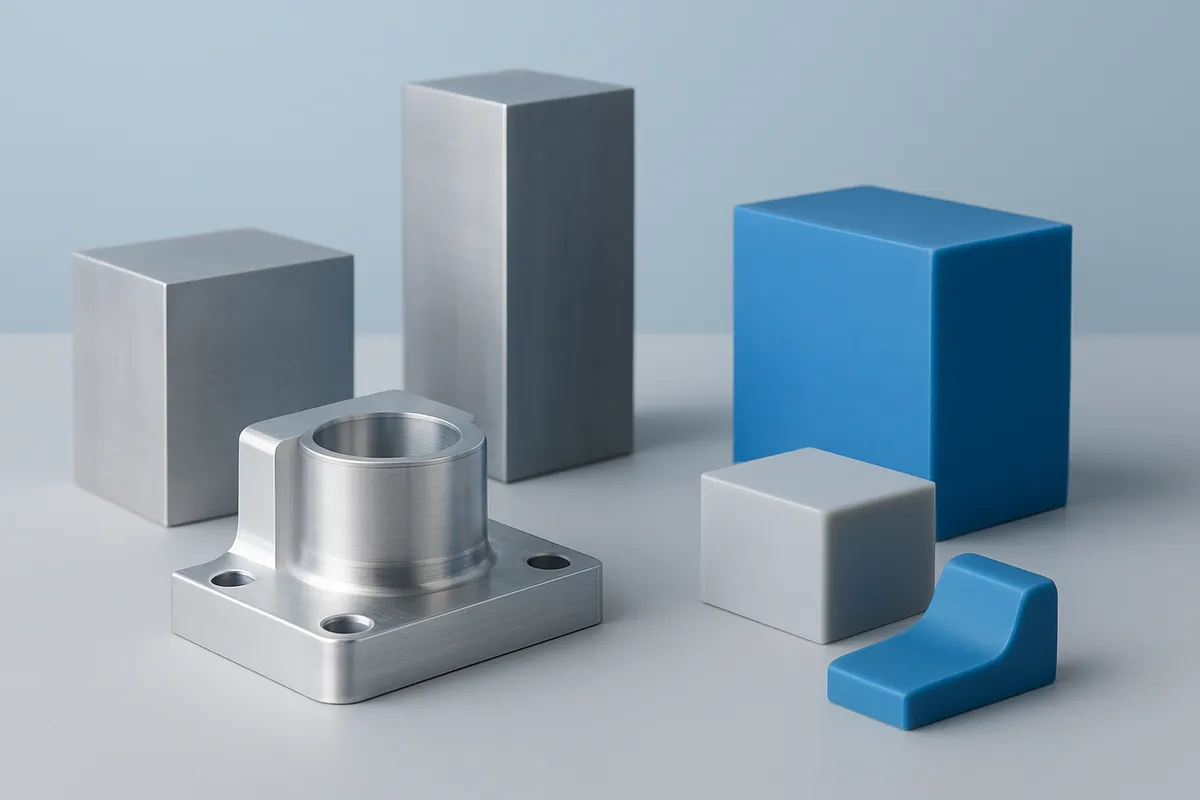
Any cnc machining explained correctly has to start with material selection, because the material determines which machine, tool, and feed rate can actually produce the part. On the metal side, common choices include aluminum, steel, stainless steel, titanium, and brass. On the plastic side, shops regularly machine ABS, nylon, acetal (Delrin), and PEEK for parts that need to resist heat, chemicals, or repeated flexing. Material choice also affects cost, since harder alloys consume more tool life and machine time per part.
Which Materials Are Easiest and Hardest to Machine with CNC?
Aluminum is the easiest common metal to machine, and titanium and hardened steel are among the hardest, mainly because of heat buildup and tool wear.
Aluminum cuts cleanly because its chips break away from the tool easily, a property machinists call good chip evacuation. That reduces friction, keeps the cutting zone cooler, and lets shops run faster feed rates with less tool wear. Titanium and hardened steel behave the opposite way. They generate more heat at the cutting edge, wear down tools faster, and often require slower feeds and specialized coated tooling to avoid work hardening the surface. Stainless steel sits in between, machinable, but gummier than aluminum and harder on tools than brass, which is prized for how freely it cuts.
Material hardness and published machinability ratings should guide design decisions before a part ever reaches the quoting stage. A design that works fine in 6061 aluminum may need looser tolerances, added wall thickness, or a different fixturing strategy if the same geometry is specified in titanium. For those exploring cnc machining explained, this matters.
Geometry imposes its own limits regardless of material. Deep pockets and thin walls flex under cutting forces, which can cause chatter or dimensional drift if the machine lacks rigidity. Internal corners always carry a radius matching the cutting tool, so tight internal corners force designers toward smaller tools, slower cuts, or a redesign with corner reliefs. True undercuts, features a straight-line tool path cannot reach, need multi-axis machines or a secondary process like wire EDM.
Tolerance expectations depend on this interplay between material and machine. A rigid 5-axis mill holding stainless steel to tight tolerances behaves very differently from a 3-axis machine cutting thin-walled aluminum, and quotes should reflect that reality rather than treat tolerance as a flat spec. GC INDUS machines aluminum, steel, stainless steel, and titanium alongside its die casting and injection molding lines, holding tolerances as tight as ±0.001mm by matching material, tooling, and machine rigidity to each part’s geometry.
How Does CNC Machining Compare to 3D Printing and Injection Molding?
CNC machining beats 3D printing on strength and finish for functional parts, and beats injection molding on flexibility for anything below high-volume production. Each process earns its place depending on part count, geometry, and how the part will be used.
CNC Machining vs. 3D Printing
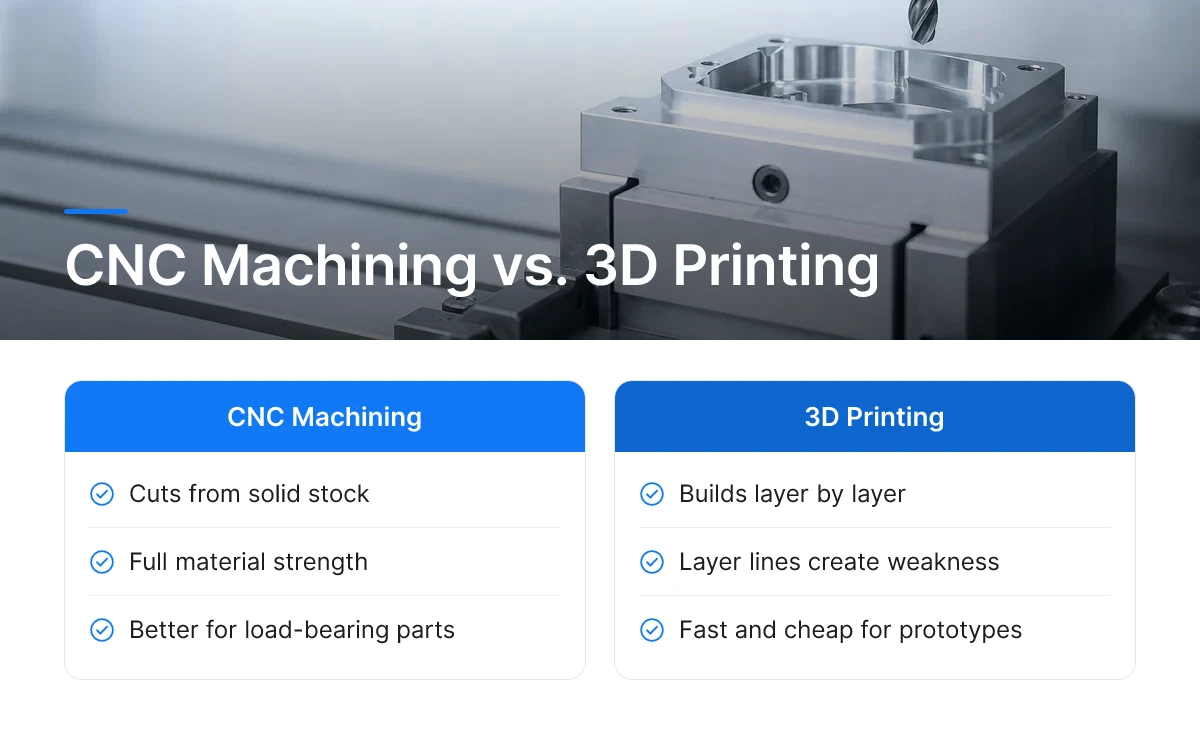
3D printing builds parts layer by layer, which makes it fast and cheap for visual prototypes but weaker for anything load-bearing. Layer lines create planes of weakness, so printed parts often fail under stress in ways a machined aluminum or steel part won’t.
CNC machining cuts from solid stock, so the material’s full strength carries through the part. It also supports a wider range of production-grade metals and plastics, and leaves a surface finish ready for assembly without extra post-processing. The tradeoff is lead time per unique geometry, a printer can start a complex shape immediately, while a CNC job needs a program and sometimes a fixture first. For a one-off visual mockup, printing wins on speed. For a part that has to hold a thread, seal against a gasket, or survive vibration, CNC machining is the safer call. This directly impacts cnc machining explained outcomes.
CNC Machining vs. Injection Molding
Injection molding needs a steel or aluminum mold before the first part exists, an upfront investment that only pays off across large production runs. CNC machining skips tooling entirely; every part is cut from a program, so the hundredth part costs about the same per unit as the first.
That makes molding the right call for high-volume, geometrically simple parts where the design is locked. CNC machining fits better when volumes are low-to-mid, when the design is still being tested, or when a single revision could make a finished mold obsolete.
When Should We Choose CNC Machining Over Traditional Machining or Other Methods?
Choose CNC over manual machining whenever the job calls for repeatable tolerances, complex multi-axis geometry, or consistent results across a production run. A manual lathe or mill depends on the operator’s hand and eye, so tolerances drift between parts and between shifts.
A CNC program removes that variation, part 500 matches part 1 within the tolerance the program specifies. That’s also the core of cnc machining explained to someone evaluating the switch: the computer, not the operator, holds the final say on every cut.
What Are the Common Mistakes Beginners Make When Switching to CNC from Manual Processes?
- Ignoring tool access: Deep pockets with sharp internal corners may be impossible to cut with a standard end mill, design for the tool, not just the shape.
- Over-tight tolerances: Specifying ±0.001mm on a feature that only needs ±0.05mm drives up cost and cycle time for no functional benefit.
- Skipping fixturing plans: A part that can’t be clamped securely can’t be machined accurately, regardless of program quality.
- Underestimating setup time: Changeovers between operations add real time to a job, a detail easy to miss when comparing quoted machine-hours.
As a decision rule: prototypes and low-volume runs favor CNC machining or 3D printing, while high-volume production of simple, stable geometry favors injection molding.
What Does a CNC Machining Project Actually Cost?
A CNC quote reflects five variables, machine time, material, tooling wear, setup/programming, and finishing, not a flat rate per part. This is particularly relevant for cnc machining explained.
Any cnc machining explained correctly has to separate these cost drivers, because buyers who only compare a single “price per piece” number often miss why two quotes for the same drawing can differ by a wide margin. Machine time is the biggest line item on most jobs: a 5-axis mill running a complex aerospace bracket ties up capital equipment far longer than a simple turned bushing on a lathe. Material cost varies by alloy and stock form, bar stock is cheaper to machine than a forged blank, and exotic alloys like titanium wear tools faster than aluminum. Setup and programming time matters most on low-volume jobs, since writing and verifying G-code for a one-off part costs the same whether you order 1 unit or 100.
Why Complexity Pushes Quotes Toward the Premium Tier
Tight tolerances, multi-axis setups, and small batch sizes all add cost because they add setup time, inspection time, or both.
A part held to ±0.001mm demands slower feed rates, more in-process checks, and sometimes a dedicated fixture, all of which shift a quote from budget-friendly toward premium. Small batches compound this: fixed costs like programming and first-article inspection get spread across fewer parts, so a 10-piece order often costs more per part than a 500-piece run of the same design.
Hidden Costs Buyers Forget
Fixturing, secondary operations, scrap from first-article runs, and rush shipping routinely get left out of a buyer’s mental budget.
- Fixturing: custom workholding for odd geometries can add real cost before the first chip is cut.
- Secondary operations: anodizing, heat treat, plating, or passivation are often quoted separately and add lead time.
- First-article scrap: early runs sometimes fail tolerance checks and get scrapped, a cost baked into prototype pricing.
- Rush premiums: compressing a lead time usually means paying for overtime machine capacity or expedited shipping.
What’s the ROI on Investing in CNC Equipment for a Small to Mid-Size Manufacturing Business?
In-house CNC equipment pays off only with steady volume; outsourcing shifts the capital risk and idle-time cost to a supplier instead.
Buying a 5-axis mill or Swiss lathe means committing capital, hiring trained operators, and keeping the machine running near capacity to justify depreciation. A manufacturer with inconsistent order volume often finds that math never closes. Outsourcing avoids that exposure entirely, GC INDUS, for example, accepts orders starting from a single piece, letting a buyer validate a design in a small batch before scaling to a production run without buying equipment or retraining staff. That flexibility matters most for companies testing new product lines where future volume is still uncertain. When considering cnc machining explained, this point stands out.
What Software and Tools Take a Design from CAD to Finished Part?
A part moves through four software stages, CAD modeling, CAM programming, toolpath simulation, and post-processing, before a machine ever cuts metal. Any cnc machining explained guide that skips this stack misses where most manufacturing errors actually originate: not on the shop floor, but at the design-to-program handoff.
What CAM Programs and Design Tools Work Best for CNC Workflows?
The process starts with CAD (computer-aided design), where an engineer builds the 3D model that defines the part’s geometry, wall thickness, and tolerance callouts. This file, usually a STEP or IGES format, is the single source of truth for everything downstream. Get a tolerance or a fillet radius wrong here, and that error propagates through every later step.
From there, CAM (computer-aided manufacturing) software converts the CAD model into toolpaths and generates G-code, the language CNC machines actually read. Common platforms include Fusion 360, Mastercam, and SolidWorks CAM, each lets a programmer select cutting tools, set spindle speeds and feed rates, and define the order of operations for milling, turning, or drilling passes. The programmer isn’t guessing; they’re translating geometry into a sequence of physical moves the machine tool will execute.
Before any material gets cut, CAM software runs a simulation of the full toolpath. This step catches tool collisions, unreachable geometry, and fixture clashes that would otherwise scrap a part or damage a spindle. Catching these problems on screen costs minutes; catching them on the machine costs material, tool wear, and schedule time.
Generic G-code isn’t ready for the machine yet, it needs a post-processor, a piece of software that translates standard toolpath output into the specific dialect a given machine’s controller understands. Fanuc, Siemens, and Haas controllers each read G-code slightly differently, and a mismatched post-processor is a common source of shop-floor errors.
One step often gets skipped on rushed projects: design-for-manufacturability (DFM) feedback. When a machinist reviews the CAD model before programming begins, they can flag deep pockets, thin walls, or tight internal corners that are expensive or impossible to machine as drawn. At GC INDUS, this early collaboration between engineering and shop teams happens before quoting, which is part of how tolerances as tight as ±0.001mm get held consistently rather than chased after the fact. For those exploring cnc machining explained, this matters.
Frequently Asked Questions
What is the difference between CNC milling and CNC turning?
Milling rotates the cutting tool against a stationary workpiece, while turning rotates the workpiece against a stationary tool. Milling suits flat faces, slots, and pockets; turning suits round, symmetrical parts like shafts and bushings. Many parts need both, which is why shops often run milling and turning, including Swiss lathe work for small, intricate components.
How long does it take to get a CNC machined part made?
Simple parts can ship in a few days, while complex multi-process parts take several weeks. Timelines depend on geometry, material sourcing, finishing steps like heat treatment or plating, and order volume. Getting a CAD file (STEP or IGES) and clear tolerances to your supplier upfront shortens the quoting and scheduling stage significantly.
Can CNC machining hold tight tolerances on plastic parts?
Yes, but plastics flex and generate heat differently than metal, so tolerances are typically looser than on aluminum or steel. Material choice, fixturing, and cutting speed all affect results. Shops experienced with plastics adjust toolpaths and cooling to control warping and still hit tight, repeatable dimensions.
Do we need to know CAD or programming to order CNC parts?
No, you need a part drawing or 3D model, not programming skills. Suppliers convert your CAD file into G-code and handle toolpath programming internally. If you lack a finished design, many manufacturers, including GC INDUS, can work from sketches or specs and help refine the file before production starts.
Is CNC machining cost-effective for low-volume production runs?
Yes, CNC machining is often the most practical option for low volumes because it needs no molds or hard tooling. This makes per-part costs reasonable even at a single unit, unlike injection molding or die casting, which require upfront tooling investment that only pays off at higher quantities. GC INDUS accepts orders starting from one piece for this reason. This directly impacts cnc machining explained outcomes.
Conclusion
CNC machining turns a CAD file into a precision part through programmed cutting, not guesswork, that’s what makes tolerances as tight as ±0.001mm repeatable across thousands of units. The practical decisions that matter most are picking the right process (milling, turning, 5-axis, EDM), choosing a material that matches mechanical and cost requirements, and confirming your supplier’s quality protocols before committing to a production run. If you’re evaluating a part for production, start by sending your CAD file and target tolerances to a shop that can quote across milling, turning, and finishing in one pass, it shows you lead times and cost tradeoffs before you commit to tooling or volume.
Recommended Articles
Explore more from our content library:


